

The iGPSPORT BiNavi Air is a lightweight (77g), compact 3-inch touchscreen cycling computer that offers strong value under €200, with long battery life (30h claimed), good sunlight readability, and broad ANT+/Bluetooth sensor compatibility including Garmin radars. Reviewers agree it is well-built and easy to set up via the app, but navigation is its weak spot: no automatic rerouting, climb challenge only with active guidance, and voice prompts come from the phone. Software localization, altitude auto-calibration, and map updates (Windows-only) are recurring complaints, though firmware updates continue to add data fields and route customization.
Pros
- Very light at 77g, compact and slim design123
- Long battery life: 30 hours claimed, over 35 hours observed by one tester13
- Affordable price under €200 / ~$196, significantly cheaper than standard BiNavi ($288)14
- 3-inch color touchscreen is smooth, responsive, and readable in direct sunlight and at night13
- Six comfortable physical buttons plus touchscreen for easy operation13
- Easy route import and syncing via app, including from Strava and GPX files134
- Connects to all Bluetooth and ANT+ devices including radars (Garmin and iGPSPORT), lights, and sensors14
- High-quality build and packaging with carbon-look design; interchangeable rear mount to prevent breakage21
- Supports custom workouts, TrainingPeaks sync, real-time tracking, and indoor route simulation4
- Firmware updates add new data fields (cycling dynamics, breathing sensors, Aerosensor/Aerobody) and route color customization45
Cons
- No automatic rerouting; only shows arrows back to route2
- Climb challenge only works with active route guidance, not in free ride mode, and may not be available in all countries2
- Voice navigation comes from the phone, cannot be turned off without disconnecting Bluetooth, and prompts sometimes have awkward phrasing and slight lag12
- Backlight not very strong; screen contrast not as good as some competitors (e.g., Magene), and brightness unchanged by software updates14
- Altitude auto-calibration via GPS unreliable, requiring manual adjustment; only works when moving4
- Limited workout customization and integration (e.g., no Intervals.icu support); ecosystem less mature than competitors like Bryton4
- Poor software localization with confusing translations and UI issues4
- Map updates only work with Windows, not Apple or Linux4
Key Facts
- Weight: 77g (agreed by three independent reviewers)123
- Battery life: 30 hours claimed; one reviewer observed over 35 hours and still 50% after multiple rides13
- Price: under €200 (Italy); ~$196 USD on AliExpress vs $288 for standard BiNavi14
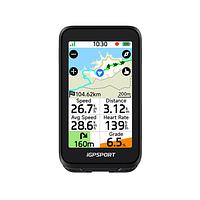
- 3.0-inch sunlight-readable color touchscreen with six physical buttons (two bottom, three right, power)13
- Connectivity: Bluetooth and ANT+, compatible with all radars including Garmin and iGPSPORT models14
- Maps: OSM-based, optimized by iGPSPORT; GPX route import generally accurate, detailed to 20m zoom44
- Firmware V1.09.001 (July 2026) added Aerosensor/Aerobody data fields, music control via electronic shifting buttons, and track-up map view with current location moved downward5
- Included in box: tempered glass screen protector, USB-C cable, handlebar mounts, lanyard, cleaning wipes, quick start manual13
Sources
- 1TheItalianCyclingVLOG🇮🇹iGPSORT BiNAVI Air: il NUOVO computer che costa SOLO 189€: alternativa a Garmin e Wahoo

- 2MIKE ON BIKEIGP SPORT Binavi Air - Ich hätte mehr erwartet 🤯

- 3CaliDOMESTIQUEiGPSPORT BiNavi Air! First Impressions and Unboxing!
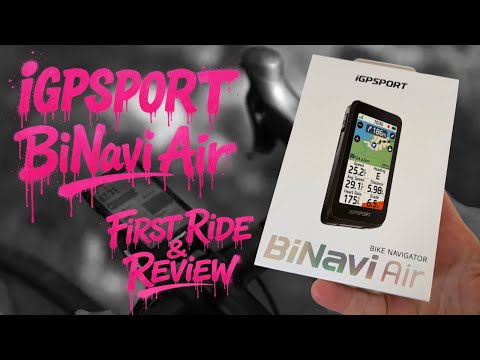
- 4ChinertownIGPSPORT Binavi Air
- 5iGPSportFirmware release notes
Reviews & Ratings
20:34The reviewer presents the iGPSPORT BiNavi Air as a lightweight, feature-rich cycling computer that offers excellent value for money. He highlights its compact size, good navigation capabilities, and long battery life, while noting some drawbacks such as weak backlight and voice navigation coming from the phone. He concludes that it is a solid device for those seeking a budget-friendly option under €200.
23:34The reviewer discusses the BiNavi Air Light (IGP Sport B Navi Air) bike computer, highlighting its sleek design and color display but criticizing its navigation and climb challenge features. The reviewer notes that the device does not reroute automatically and the climb challenge only works with active route guidance, which was a disappointment. Despite its attractive appearance and build quality, these limitations lead the reviewer to consider returning it.
06:02The reviewer presents the IGP Sport BiNavi Air as a new, improved version of the BiNavi, released at the end of January 2026. They describe it as more compact, lighter, and with better battery life and screen visibility than its predecessor. The reviewer unboxes the unit, demonstrates its physical features and buttons, and shows its integration with a smartphone app for route planning and data syncing. They highlight its retro-themed display options and overall usability. After testing it on rides, the reviewer expresses strong enthusiasm for its lightweight design, legibility, and performance, stating it makes them want to race and that they will keep it on their handlebars.
The BiNavi Air is a slimmed-down, more affordable version of the popular BiNavi cycling computer from iGPSPORT. Key attributes mentioned by users include a price of approximately $196 USD (compared to $288 for the standard BiNavi), a smaller screen and battery, and OSM-based maps optimized by iGPSPORT. It supports features like custom workouts, TrainingPeaks integration, real-time tracking, and route simulation for indoor training. Recent firmware updates have added new data fields for cycling dynamics and breathing sensors, along with improved route customization options like choosable colors. The device is compatible with all radars, including Garmin models, and GPX route import generally works accurately for navigation. However, users report issues with altitude auto-calibration (which only works when moving), limited workout customization compared to competitors, software localization problems, and screen brightness that remains unchanged despite updates. The ecosystem is considered less mature than competitors like Bryton for features like climbPro functionality.
AI Summary
Pros
- More affordable than the standard BiNavi and other models like the IGS800
- Slimmer design with a smaller screen preferred by some users over larger 'tablet-like' computers
- Supports custom workouts, TrainingPeaks integration, and real-time tracking
more pros in the review
Cons
- Altitude auto-calibration via GPS does not work reliably, requiring manual adjustment
- Limited workout customization and integration options (e.g., no Intervals.icu support)
- Poor software localization with confusing translations and UI issues
more cons in the review
Key Points
- Price: ~$196 USD
- Maps: OSM-based, optimized by iGPSPORT
- Supports .fit file uploads
more key points in the review
Where to Buy
 amazon.de Affiliate · MyBikeParts Price last checked 7 months ago | €170 |
| €190 |
Specifications
Attributes
Software
Latest: V1.09.001, July 02, 2026
V1.09.001July 02, 2026
- Optimized screen display and automatic light sensor functionality.
- Optimized map page interaction: When the map is set to Track up (with “North Up” disabled), the current location moves downward, providing a larger view of the area ahead.
- Enable music control with electronic shifting buttons.
- Optimized global interaction: After enabling touch lock, you can still swipe left or right to navigate through pages on the ride data page.
- Added support for the Aerosensor portable real-time cycling aerodynamic drag.
- Added support for the Aerobody Cyclist body position sensor.
- Added data fields related to Aerosensor and Aerobody. To add them: Long-press on the Ride page to enter edit mode, then go to Data Fields → Aero (currently not configurable via the app).
- Fix some known bugs.
- Improve system stability.
From the manufacturer's update service
Spotted an error in the specs? Help us correct it — sign in or create an account.
Questions about iGPSPORT BiNavi Air
Sign up and share your experience — help other riders decide!
Create Account & Review